Video to URL for Marketing: 9 Campaign Workflows That Convert in 2026
Discover nine practical video to URL marketing workflows for e-commerce, SaaS, and service brands. Learn distribution, tracking, and conversion optimization tactics for 2026.
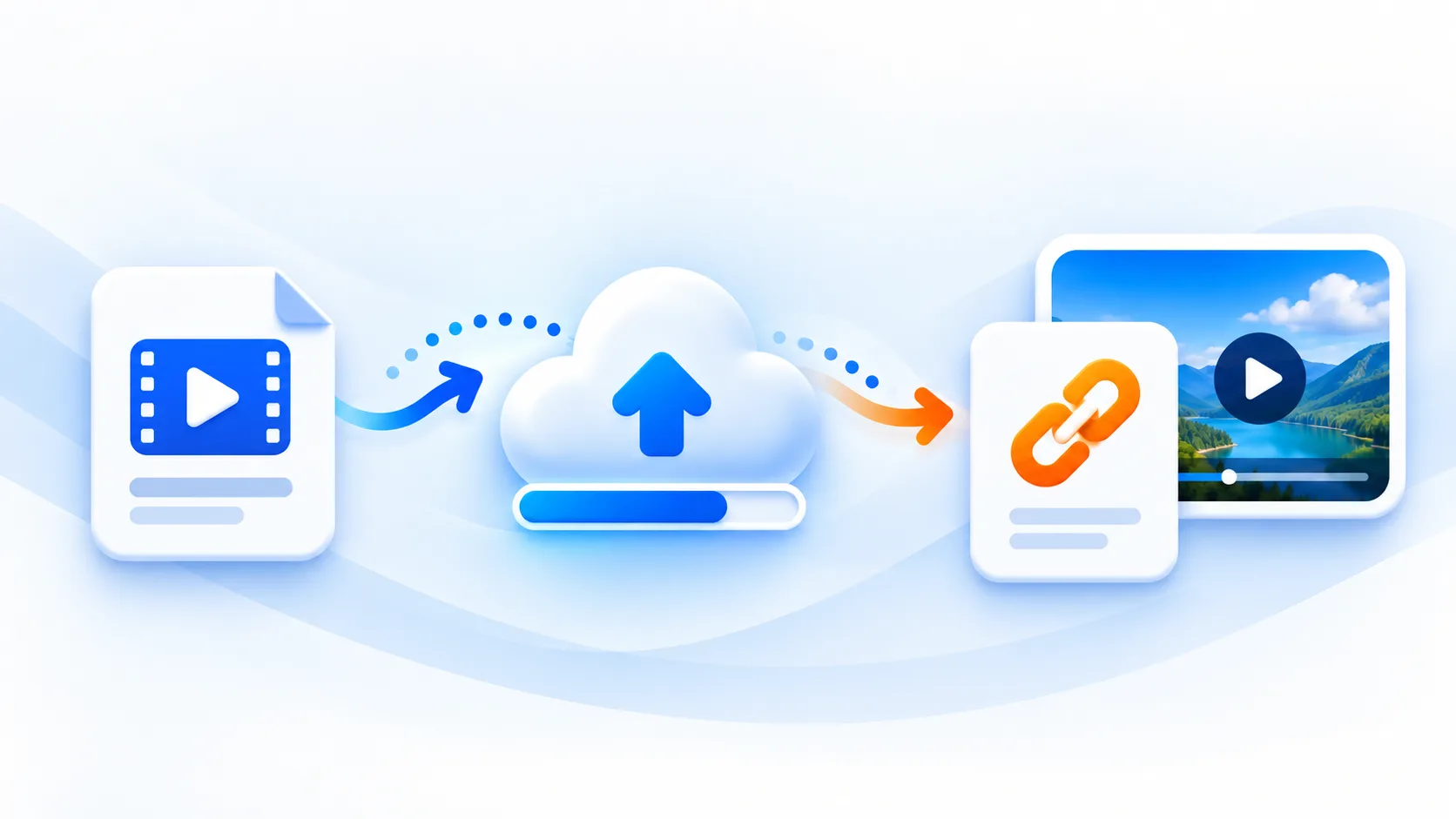
Marketing teams do not need more random content. They need repeatable systems. A strong video to URL workflow lets you publish faster, test more creative angles, and keep attribution clean across channels.
This guide covers nine campaign workflows you can run immediately.
Check the hosting and measurement boundaries first
mp4tolink hosts original files with public links; it does not provide private client review rooms, viewer identity, watch-depth analytics, managed version replacement, A/B testing, automatic thumbnails or marketing automation. Configure those campaign functions on your own website and in your chosen tools. Send visitors to a useful landing page when you need context and a measurable call to action.
Video uploads have a standard 100 MiB per-file limit plus the configured daily allowance and request/storage constraints. A full webinar may need editing into smaller clips before upload. Keep the original recording and obtain the necessary publication permission. A signed-out access check is useful, but a public URL is not an access-control system.
For a practical example, publish a short product demonstration with Video to Link, place the URL in a page you control, and attach campaign parameters to that page URL. Check that the demonstration plays on the intended devices. Measure page visits or call-to-action events only through analytics you have actually set up; no built-in conversion report is created by the upload itself.
Why Video to URL Works for Modern Campaigns
When every video lives behind a trackable URL, you gain:
- Faster collaboration between creative and growth teams
- Consistent distribution across paid and organic channels
- Better funnel attribution using UTM and events
- Easier content repurposing for different audiences
Instead of one video and one post, you build modular assets that scale.
Workflow 1: Product Launch Countdown
Goal: Build pre-launch demand and launch-day conversions.
- Publish teaser video URL (T-14 days)
- Publish feature breakdown URL (T-7 days)
- Publish launch offer URL (T-1 day)
- Send all three via segmented email flows
Workflow 2: E-commerce Product Detail Page Lift
Goal: Increase product page conversion rate.
- Add short product demo URL above the fold
- Add "how it works" video URL near FAQs
- Test two thumbnails and one headline variation
- Track add-to-cart and checkout completion
Workflow 3: SaaS Onboarding Activation
Goal: Move signups to first value faster.
- Welcome email with quick-start video URL
- In-app checklist links to role-specific tutorial URLs
- Sales and success teams reuse same URLs in follow-ups
- Measure activation rate by segment
Workflow 4: Local Service Trust Campaign
Goal: Improve lead quality for local businesses.
- Publish short customer story video URL
- Embed on service-area landing pages
- Add quote request CTA below each embed
- Track call clicks and form submissions
Workflow 5: Retargeting Creative Refresh
Goal: Reduce ad fatigue and improve ROAS.
- Produce 3 short variants from one source video
- Generate separate URLs for each variant
- Route ad traffic to matching landing pages
- Pause low-performing URL-page pairs weekly
Workflow 6: Webinar-to-Lead Engine
Goal: Turn one event into evergreen pipeline.
- Publish full webinar replay URL
- Cut key moments into short highlight URLs
- Build a resource page that clusters all assets
- Add gated download CTA for lead capture
Workflow 7: Sales Enablement Follow-Up
Goal: Increase proposal close rates.
- Create industry-specific explainer video URLs
- Attach relevant URL in each proposal email
- If your own consented analytics identifies a relevant segment, configure follow-ups in your campaign system
- Compare campaign outcomes only when your measurement setup actually records those events
Workflow 8: FAQ Deflection for Support
Goal: Reduce repetitive support volume.
- Convert top support issues into short tutorial URLs
- Place URLs inside help center and auto-replies
- Add article text summary under each video
- Track ticket deflection and resolution time
Workflow 9: SEO + Social Repurposing Loop
Goal: Grow both rankings and social reach.
- Publish full guide page with primary video URL
- Extract clips for social platforms
- Link back to canonical article URL
- Update page quarterly with new examples
Use this loop to keep an organized content library. Traffic and conversion improvements need measurement and are not guaranteed.
Campaign Measurement Framework
Track performance by stage:
| Funnel Stage | Primary KPI | Secondary KPI |
|---|---|---|
| Awareness | Unique video URL visits | Scroll depth |
| Consideration | Video play rate | Avg. watch depth |
| Decision | CTA click-through rate | Assisted conversions |
| Retention | Repeat visits | Expansion revenue signals |
30-Day Execution Plan
Week 1
- Select two workflows from this guide
- Define success metrics and attribution setup
- Prepare the first batch of videos
Week 2
- Publish URLs and landing pages
- Launch distribution in email, social, and paid channels
- Verify event tracking and UTM integrity
Week 3
- Review early data
- Replace weak thumbnails and headlines
- Improve CTA placement for low-converting pages
Week 4
- Scale top performers
- Archive low performers
- Build next-month content pipeline from winning themes
Common Execution Mistakes
- Publishing video URLs without clear CTA alignment
- Mixing campaign and evergreen URLs in one report
- Inconsistent UTM naming across channels
- No weekly review cadence for optimization
Review whether these changes improve your own workflow rather than assuming an immediate gain.
Final Takeaway
A high-performing video to URL marketing strategy is built on workflows, not isolated posts. Choose two or three repeatable playbooks, measure rigorously, and iterate every week. That approach turns each video URL into a durable growth asset.
MP4 to Link & Video to Link FAQs
How can video to URL improve marketing ROI?
Video to URL improves ROI by reducing production friction, accelerating distribution, enabling better tracking, and allowing one video asset to be reused across multiple campaign channels.
Which channels work best for video URL campaigns?
High-performing channels usually include landing pages, email sequences, social media posts, paid retargeting ads, and sales follow-up workflows. The best mix depends on audience behavior and funnel stage.
How many video URLs should a small team publish each month?
A practical baseline is 4 to 8 focused video URLs per month, each tied to a clear campaign goal and tracked through consistent UTM and conversion events.
mp4tolink Team
View profile